 SubLunio
Last updated:
FLV subtitle facts
| Item | Result or policy |
|---|---|
| Tested audio | mp3 |
| Detected container | flv |
| Subtitle targets | 110+ (118 currently listed) |
| Output | SRT / VTT / ASS |
| Video upload | No; only extracted audio is uploaded |
| Account duration limit | 8 hours; guest limit 3 hours |
| Full task price | USD $1/hour, rounded up to a cent |
Work from a complete FLV archive
FLV files often appear in older streaming archives and video collections. They may have been saved from a stream rather than exported from an editor, so completeness and timestamps deserve attention. Use a local file that has finished downloading, and keep an original copy before attempting any repair or conversion.
The browser file picker can accept FLV even when the browser cannot play its image directly. Subtitle generation depends on whether the audio stream is readable by the media engine. A supported soundtrack can be extracted without uploading or re-encoding the full picture, which is useful for large archived recordings.
A stream capture may contain breaks
A recording captured from a live source can include connection gaps, discontinuities or a different start point from another copy of the same event. These details affect subtitle timing. Use the same archived edition for generation and final playback, rather than matching only the programme title.
If the sound jumps or stops in a trusted local player, inspect that section before buying a full task. The recognizer can work only with the audio actually present. It cannot fill a missing part of a stream, and translating the surrounding sentences does not establish what was said during the gap.
Identify the real audio codec in a legacy container
FLV does not specify a single mandatory soundtrack encoding. The inspection result and track choice are more useful than the extension for understanding compatibility. Older files may contain MP3, while other exports use a different audio path. Do not assume a successful test of one codec proves support for all variants.
Once a track is selected, SubLunio produces a mono MP3 intended for transcription. The original archive remains on your device. If the image is unsupported in the browser, read the subtitle text preview with timestamps, then load the resulting subtitle into a player that can display your archived video.
The published FLV check uses a known MP3 track
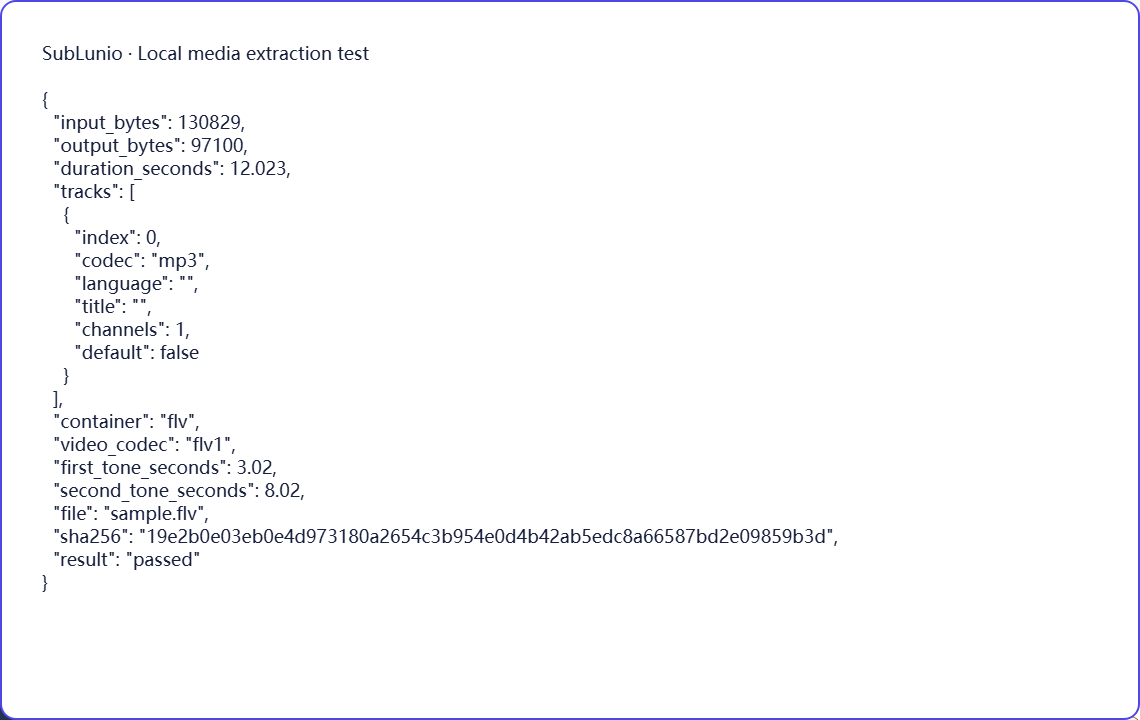
The synthetic FLV fixture contains FLV1 video and MP3 audio. Its two timed tones remain aligned after local extraction in Chromium and Firefox, and the output passes the MP3 format and duration checks. The accompanying report makes the tested audio codec explicit.
The fixture is short and complete. It does not reproduce every long-running live capture or damaged archive, and it does not measure dialogue accuracy. For a real event recording, inspect a later passage as well as the opening when the full task is complete. Timing changes near a stream interruption may not be visible in a clean introductory segment.
Choose a language, then evaluate a preview
Select the file above, choose its speaking track and pick the language you want to read. SubLunio offers 110+ subtitle target languages. Source speech recognition has a separate supported list and defaults to Auto; setting the interface language does not limit your target choice. A brief listen can prevent a commentary or alternate dub from becoming the source of an otherwise well-timed translation.
The free web preview starts at the first subtitle and covers up to 5 continuous minutes. Compare the text with a clear line and a more difficult passage. You can start without an account, then sign in to retain the same valid task and continue with the audio already uploaded. A concise glossary can guide recurring names or specialist terms.
Continue and save a portable subtitle
Full generation is priced at USD $1 per hour of the entire video, rounded up to a cent. The preview portion is included in that full duration. Use account credit or pay for the task; card payments have a $1.00 minimum and unused credit remains available. The price is based on duration rather than the original video file size.
Download SRT, VTT or ASS, choosing translated, original or bilingual text. Keep the subtitle beside the exact source edition and test dialogue at several points. The video stays local throughout extraction; server audio is temporary. Save your own subtitle copy and process only material you have the necessary rights to use. Automatic results still need review for names, meaning and timing.
A few things worth knowing
Can an FLV stream archive contain timing gaps?
Yes. Captures may include interruptions or discontinuities, so check sections around known breaks.
Does the FLV test demonstrate every audio codec used in old streams?
No. The published fixture specifically contains MP3 audio.
Do I need to upload the full FLV picture for subtitles?
No. The local workflow extracts compressed audio for upload.
Can a subtitle generator reconstruct a missing FLV broadcast segment?
No. It can only transcribe sound present in the selected recording.