 SubLunio
Last updated:
MKV subtitle facts
| Item | Result or policy |
|---|---|
| Tested audio | ac3 |
| Detected container | matroska,webm |
| Subtitle targets | 110+ (118 currently listed) |
| Output | SRT / VTT / ASS |
| Video upload | No; only extracted audio is uploaded |
| Account duration limit | 8 hours; guest limit 3 hours |
| Full task price | USD $1/hour, rounded up to a cent |
Use the flexibility of MKV without guessing its tracks
Matroska can carry multiple video, audio and subtitle streams as well as chapters and attachments. That flexibility is useful for movie releases, but it means the default audio is not necessarily the language you expect. Inspect the track list before starting, and use a short listen when the labels are unfamiliar.
SubLunio generates from the selected audio. Existing embedded subtitles are not automatically used as the transcription source, and font attachments are not needed to recognize speech. The output is a new timed subtitle file that you can load beside the same MKV or incorporate into a separate authorized editing workflow.
Choose between a dub, original mix and commentary
An MKV may include several tracks in the same language: a stereo mix, a surround mix and a commentary can all share similar language tags. Stream names and default flags help, but listening is the decisive check. Select the actual dialogue you want the subtitles to follow.
A dub can deliberately change wording or timing to suit a different audience. Generating from that dub produces subtitles for what it says, rather than a translation of an absent original soundtrack. If you want the original performance, choose its audio stream explicitly. Changing only the source-language menu does not switch the underlying track.
Surround audio becomes a transcription copy
Supported multichannel audio is converted to a compact mono MP3 suitable for speech recognition. This processing copy is designed to reduce upload size and provide a consistent input, while your original MKV remains intact. It is not intended to replace the surround soundtrack in your media collection.
Voices mixed very quietly under music can still be difficult to recognize after conversion. Evaluate a dialogue scene in the preview and compare it with your normal player. If several mixes are available, a clearer speaking track may be more useful than a larger lossless one for this particular task.
MKV evidence includes several audio families
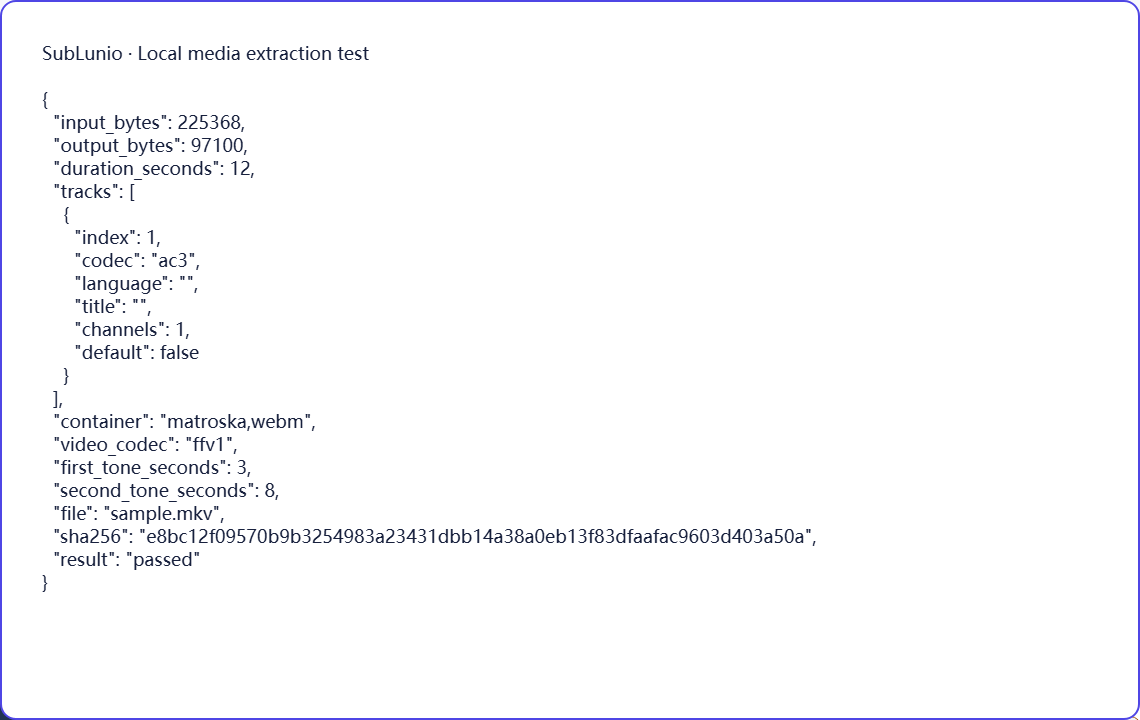
The synthetic matrix includes MKV fixtures carrying AC-3, E-AC-3 and TrueHD audio. Each fixture has known tone locations, and the resulting MP3 is decoded again to check duration and timing. Those combinations passed in Chromium and Firefox with the current published browser media build.
The result is not a claim that every stream allowed by Matroska is supported. Native browser display of the picture is also a separate question from extracting its soundtrack. Use the local preview mode offered for your file, then check downloaded SRT or ASS in your preferred MKV-capable player before treating the task as ready for sharing.
Choose a language, then evaluate a preview
Select the file above, choose its speaking track and pick the language you want to read. SubLunio offers 110+ subtitle target languages. Source speech recognition has a separate supported list and defaults to Auto; setting the interface language does not limit your target choice. A brief listen can prevent a commentary or alternate dub from becoming the source of an otherwise well-timed translation.
The free web preview starts at the first subtitle and covers up to 5 continuous minutes. Compare the text with a clear line and a more difficult passage. You can start without an account, then sign in to retain the same valid task and continue with the audio already uploaded. A concise glossary can guide recurring names or specialist terms.
Continue and save a portable subtitle
Full generation is priced at USD $1 per hour of the entire video, rounded up to a cent. The preview portion is included in that full duration. Use account credit or pay for the task; card payments have a $1.00 minimum and unused credit remains available. The price is based on duration rather than the original video file size.
Download SRT, VTT or ASS, choosing translated, original or bilingual text. Keep the subtitle beside the exact source edition and test dialogue at several points. The video stays local throughout extraction; server audio is temporary. Save your own subtitle copy and process only material you have the necessary rights to use. Automatic results still need review for names, meaning and timing.
A few things worth knowing
Will SubLunio copy the subtitles already embedded in an MKV?
This workflow generates new subtitles from selected audio, rather than using an embedded subtitle as its transcript.
Can MKV tracks in the same language contain different content?
Yes. A dub, commentary and alternate mix may share a language tag; listen before choosing.
Is MKV surround audio preserved in the uploaded processing file?
The selected supported track becomes a mono MP3 for transcription; your original surround soundtrack stays in the source file.
Do MKV font attachments affect speech recognition?
No. Font attachments are unrelated to recognizing the selected audio.