 SubLunio
Last updated:
RMVB subtitle facts
| Item | Result or policy |
|---|---|
| Tested audio | ac3 |
| Detected container | rm |
| Subtitle targets | 110+ (118 currently listed) |
| Output | SRT / VTT / ASS |
| Video upload | No; only extracted audio is uploaded |
| Account duration limit | 8 hours; guest limit 3 hours |
| Full task price | USD $1/hour, rounded up to a cent |
Treat RealMedia archives as codec-specific inputs
RM and RMVB filenames identify a family of older RealMedia containers, not one uniform soundtrack format. Archived files can contain different generations of video and audio codecs. The extension alone cannot establish that a particular recording is readable. Start by letting the local media engine inspect its actual streams.
For subtitle generation, a supported speaking soundtrack is the central requirement. Browser-native display of the image is a separate issue and may be unavailable. A subtitle text preview with timestamps can still provide a useful way to review the wording while the original picture remains available in a suitable local player.
Check the archive before investing in a full task
Older downloads are sometimes incomplete or have been renamed several times. Verify that a trusted local player can read the recording to the end and that its reported duration is plausible. Keep an untouched original before any repair attempt. Replacing the extension with MKV or MP4 does not convert the media.
If a valid alternative export is available through your authorized archive workflow, use that edition consistently for generation and viewing. A remux or repair that changes timestamps can make an earlier subtitle unsuitable. Inspect more than the opening minute when the file’s history includes interruptions or conversion tools.
Choose the actual dialogue and keep expectations specific
A RealMedia soundtrack can be quiet, highly compressed or affected by the limitations of an old recording. Local decoding may succeed while the speech remains hard to understand. Recognition and translation cannot reliably recover words that the recording does not preserve clearly.
Select the appropriate source language when you know it, and listen during the preview. Use a short glossary for important names, then review those words rather than assuming the glossary guarantees accuracy. For an archival interview or lecture, important quotations and technical statements should be checked against the sound before they are reused.
The RealMedia test scope is intentionally explicit
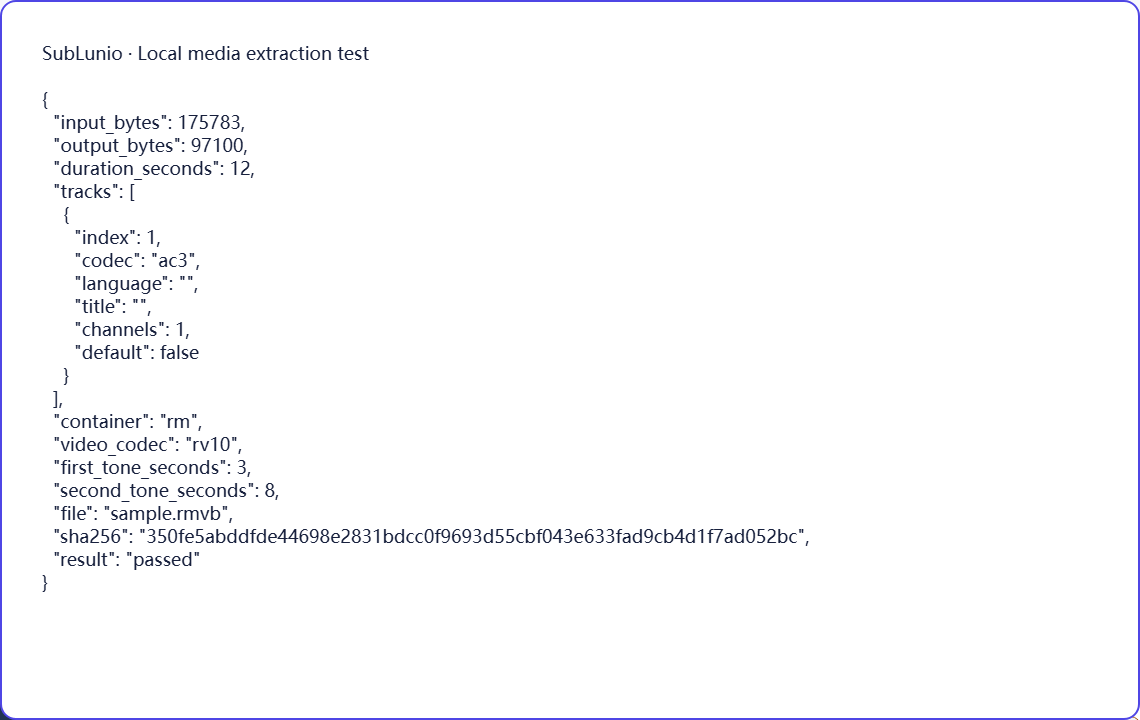
The synthetic RMVB-named fixture is a RealMedia container carrying RV10 video and AC-3 audio. Chromium and Firefox successfully extract its soundtrack and preserve the two known tone positions. This verifies the container path and that audio combination; it is not an RV40 or Cook-audio compatibility certification.
Many real archives use combinations different from this fixture, so your file still needs local inspection and a preview. The media build contains additional decoders, but an enabled decoder is not the same as a passed representative-file test. The evidence below records what was actually exercised and keeps that distinction visible instead of promising that every RMVB will work.
Choose a language, then evaluate a preview
Select the file above, choose its speaking track and pick the language you want to read. SubLunio offers 110+ subtitle target languages. Source speech recognition has a separate supported list and defaults to Auto; setting the interface language does not limit your target choice. A brief listen can prevent a commentary or alternate dub from becoming the source of an otherwise well-timed translation.
The free web preview starts at the first subtitle and covers up to 5 continuous minutes. Compare the text with a clear line and a more difficult passage. You can start without an account, then sign in to retain the same valid task and continue with the audio already uploaded. A concise glossary can guide recurring names or specialist terms.
Continue and save a portable subtitle
Full generation is priced at USD $1 per hour of the entire video, rounded up to a cent. The preview portion is included in that full duration. Use account credit or pay for the task; card payments have a $1.00 minimum and unused credit remains available. The price is based on duration rather than the original video file size.
Download SRT, VTT or ASS, choosing translated, original or bilingual text. Keep the subtitle beside the exact source edition and test dialogue at several points. The video stays local throughout extraction; server audio is temporary. Save your own subtitle copy and process only material you have the necessary rights to use. Automatic results still need review for names, meaning and timing.
A few things worth knowing
Does the RMVB test certify Cook audio or RV40 video?
No. The actual fixture uses RV10 video with AC-3 audio in a RealMedia container.
Can RealMedia audio extraction work without showing its picture in the browser?
A supported audio stream can be processed independently of native browser picture playback.
Will renaming an RMVB archive to MKV convert it?
No. The extension does not change its container or codecs.
Does enabling a RealMedia decoder prove every archived file works?
No. Representative files still need inspection and testing; the published evidence states its specific scope.